FREE No bank login · On-device privacy

Track spending from your statements.

SpendRight turns bank and card statement photos or PDFs into categorized transactions with AI — no bank linking, no account sync. Your data stays on your device.

How it works

Transactions stay on your phone — never shared.
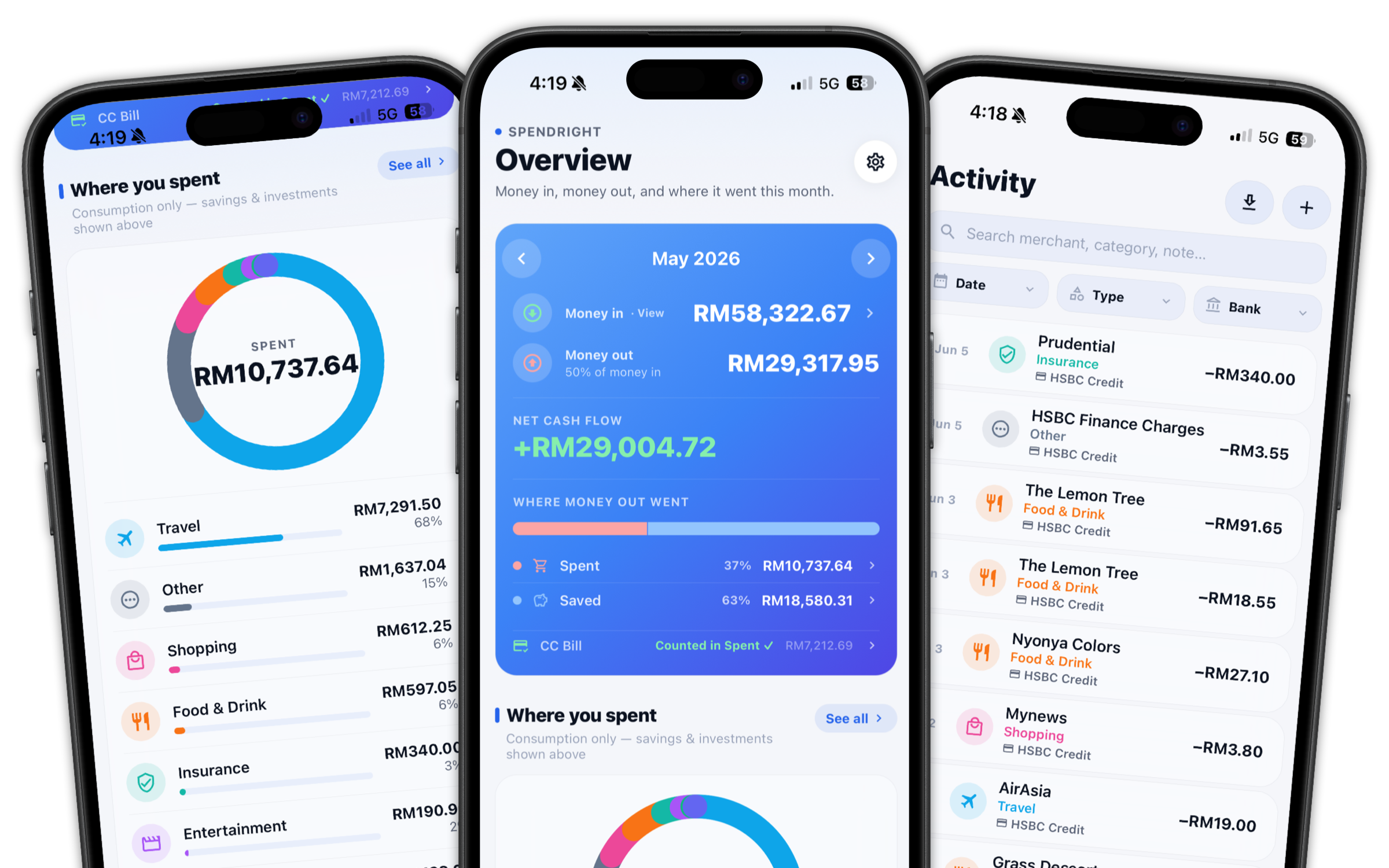
SpendRight app showing spending breakdown, monthly overview, and activity feed
How it works

From statement to insight in three taps.

No bank passwords. No manual line entry. Just upload, review, and track.

Upload a statement

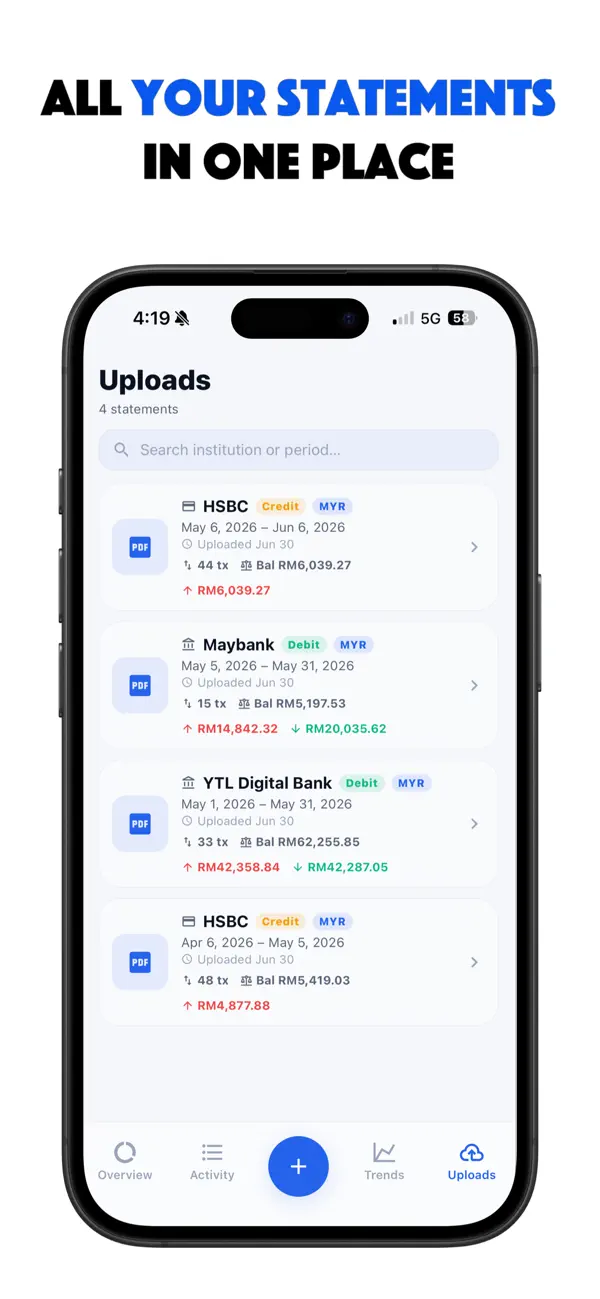
Snap a photo or import a PDF of your bank or credit-card statement — password-protected files unlock on your device.

Review the extract

AI reads merchants, amounts, and dates. Confirm or tweak anything, then save — most categories match offline.

See where money went

Cash flow, spending breakdown, trends, and subscriptions update automatically across all your accounts.

Features

Everything you need to manage money with less effort.

AI extraction, automatic categorization, and clear cash-flow views — built privacy-first.

AI statement extraction

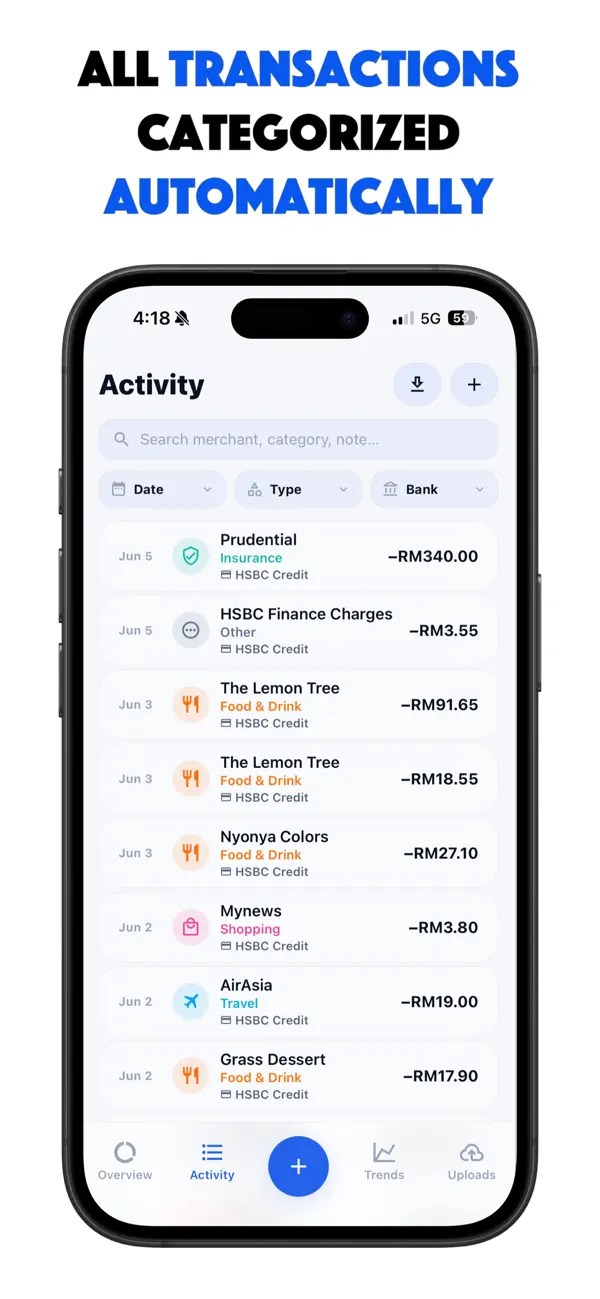
One photo or PDF becomes dozens of transactions — dates, merchants, amounts, and direction filled in for you.

Auto-categorization

On-device merchant intelligence categorizes most rows offline. Only unmatched items may need a second AI pass.

No bank linking

Never share login credentials. Upload statements you already have — your banks stay disconnected from the app.

Cash-flow clarity

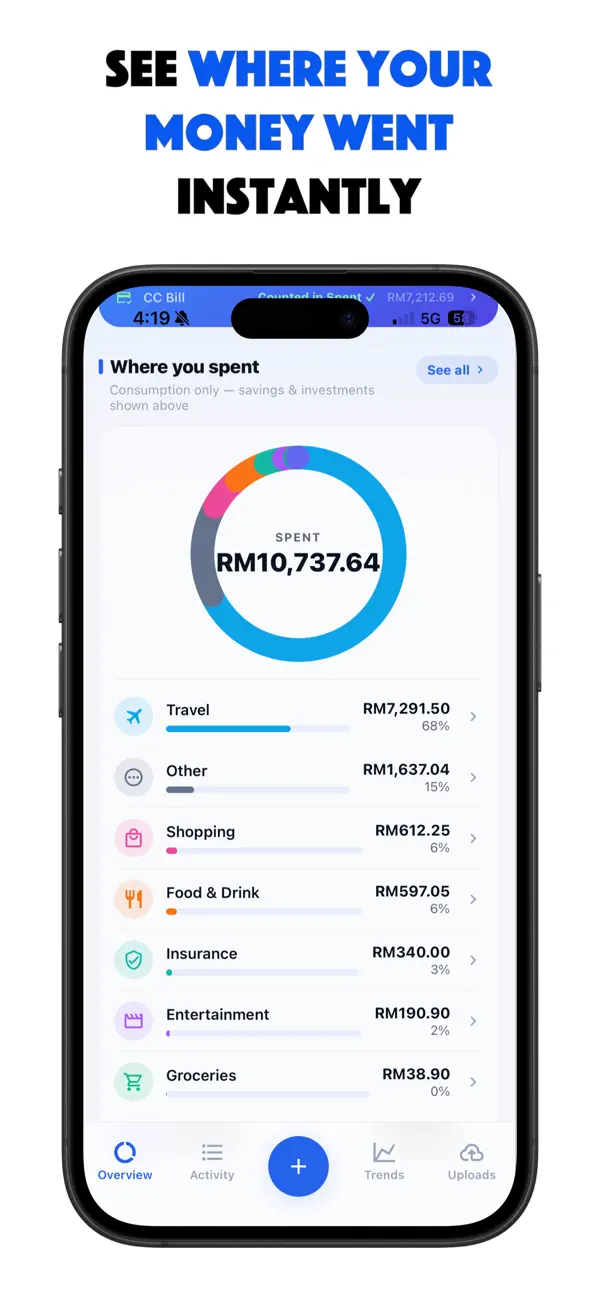
See money in, money out, and how outflows split across spent, saved, invested, and debt — not just expense lists.

Subscriptions & trends

Spot recurring charges and watch spending and income patterns over months and years.

Multi-currency & languages

Track in your currency. UI and extraction support English, Chinese, and Japanese — plus CSV export anytime.

Inside the app

Designed for clear money decisions.

Overview, activity, uploads, and trends — a clean interface that stays out of your way.
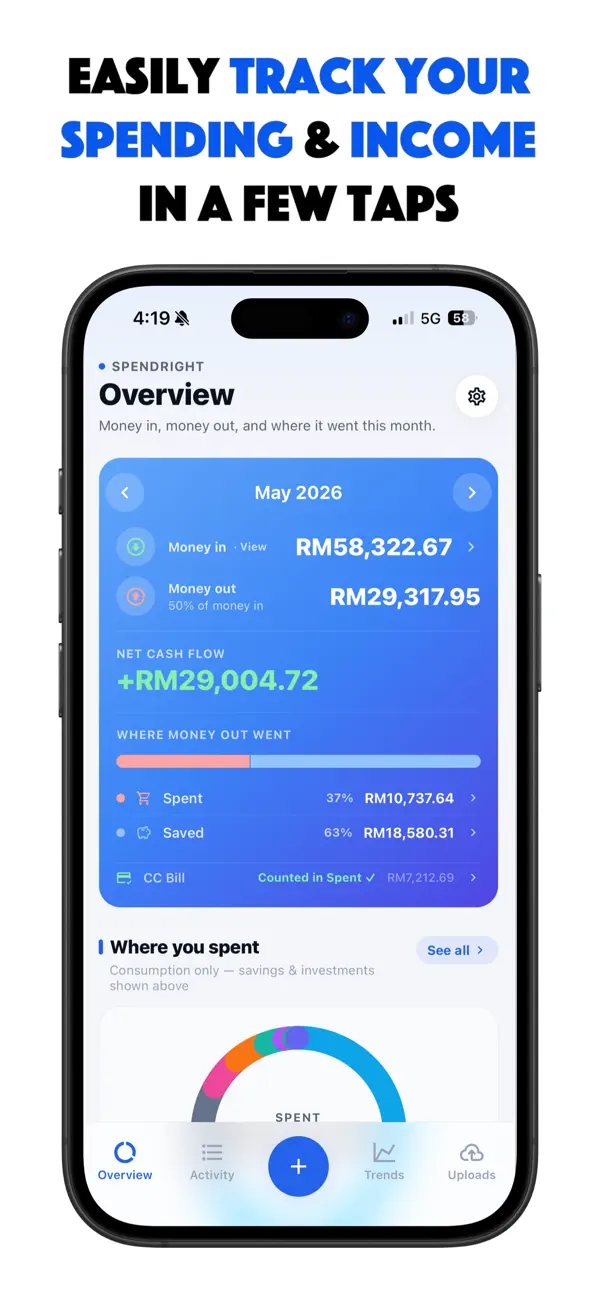
SpendRight Overview with monthly cash flow and spending breakdown Activity list with automatically categorized transactions Where you spent — category breakdown with donut chart Uploads library with bank statements in one place
Privacy first

Your finances stay on your phone.

SpendRight was built client-first. Transactions and receipts live on your device — private by design, never shared.

  • No bank credentials. You upload statements — you never link accounts.
  • On-device storage. Your transaction history stays on this device.
  • PDF passwords stay local. Unlock protected statements without sending the password to the cloud.
100%
of your transactions stay private, on your device.
FAQ

Questions, answered.

Is SpendRight free to use?
Yes. SpendRight is free with capture and upload limits, plus the last 3 months of history. SpendRight Pro unlocks unlimited uploads and full transaction history via a monthly or yearly subscription.
Do I need to link my bank?
No. SpendRight never asks for bank login credentials. You upload statement photos or PDFs you already have, and AI extracts the transactions for you.
How does statement scanning work?
Capture or import a bank or card statement. AI extracts merchants, amounts, and dates. On-device merchant packs categorize most rows automatically — then you review and save.
What happens to my data?
Your transactions are stored on your device and are never shared. PDF passwords are unlocked on-device and are not sent to the cloud. You can export a CSV backup anytime.
Which platforms is SpendRight on?
SpendRight is available for both iOS and Android. Download from the App Store or Google Play using the buttons on this page.
Can I cancel Pro anytime?
Yes. After subscribing, manage or cancel under Settings. Your subscription stays active until the end of the current billing period.

Get SpendRight today.

Available on iOS and Android — download free from the App Store or Google Play.